Early access · by Hearth & Code
Mainhand: an AI team for your small business
Meet the helpers who read your inbox, draft your replies, chase the follow-ups and write your morning plan. You approve everything before anything goes out, until you decide otherwise.
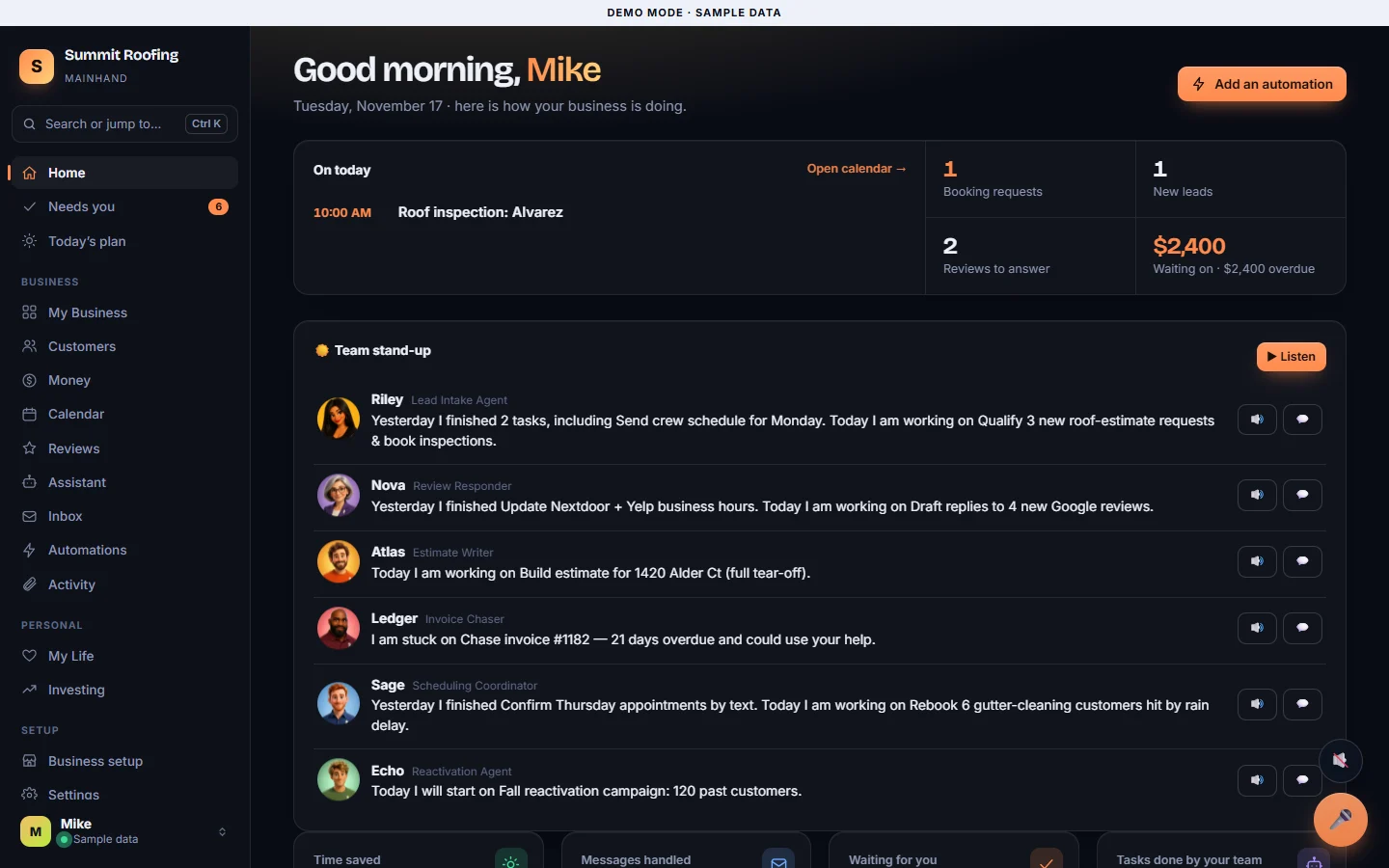
Sample data shown.
Less admin. More of the work you like.
Every morning you open one screen and see what happened and what needs your OK.
Morning brief
Your top three priorities for the day, written from your notes, inbox and team activity.
Inbox helper
Reads new email and drafts a reply in your voice. It can check on its own during the day.
You stay in charge
Anything going to a customer waits in a Needs you list until you approve it.
Follow-ups that find themselves
It looks through your sent mail for quotes and invoices nobody answered, and drafts the nudge.
Autopilot, when you are ready
Start by approving everything. Once you trust it, let simple replies go out on a ten-minute undo timer. Money, refunds and complaints always wait for you.
A short email each morning
What needs you and what your assistant did, sent to your own address. Off until you turn it on.
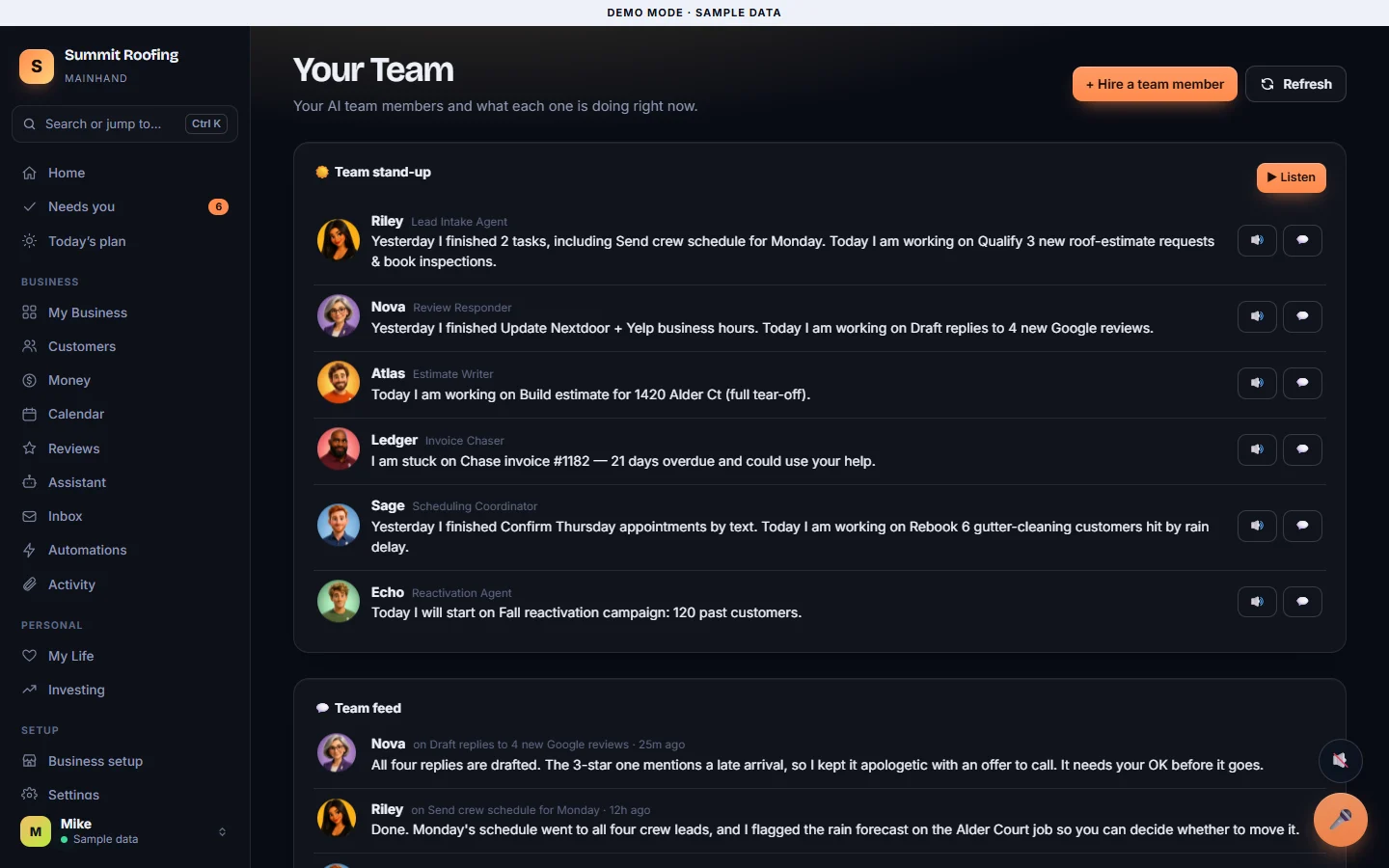
Hire a team, not a tool
Choose from 36 team members of different ages and backgrounds, each with their own look and voice. Hiring "Riley" feels better than configuring "Agent 3", and you can talk to your team out loud.
Start the day knowing what matters
The morning brief pulls everything into three clear priorities, plus what you are waiting on and what is due soon. No digging through six apps.
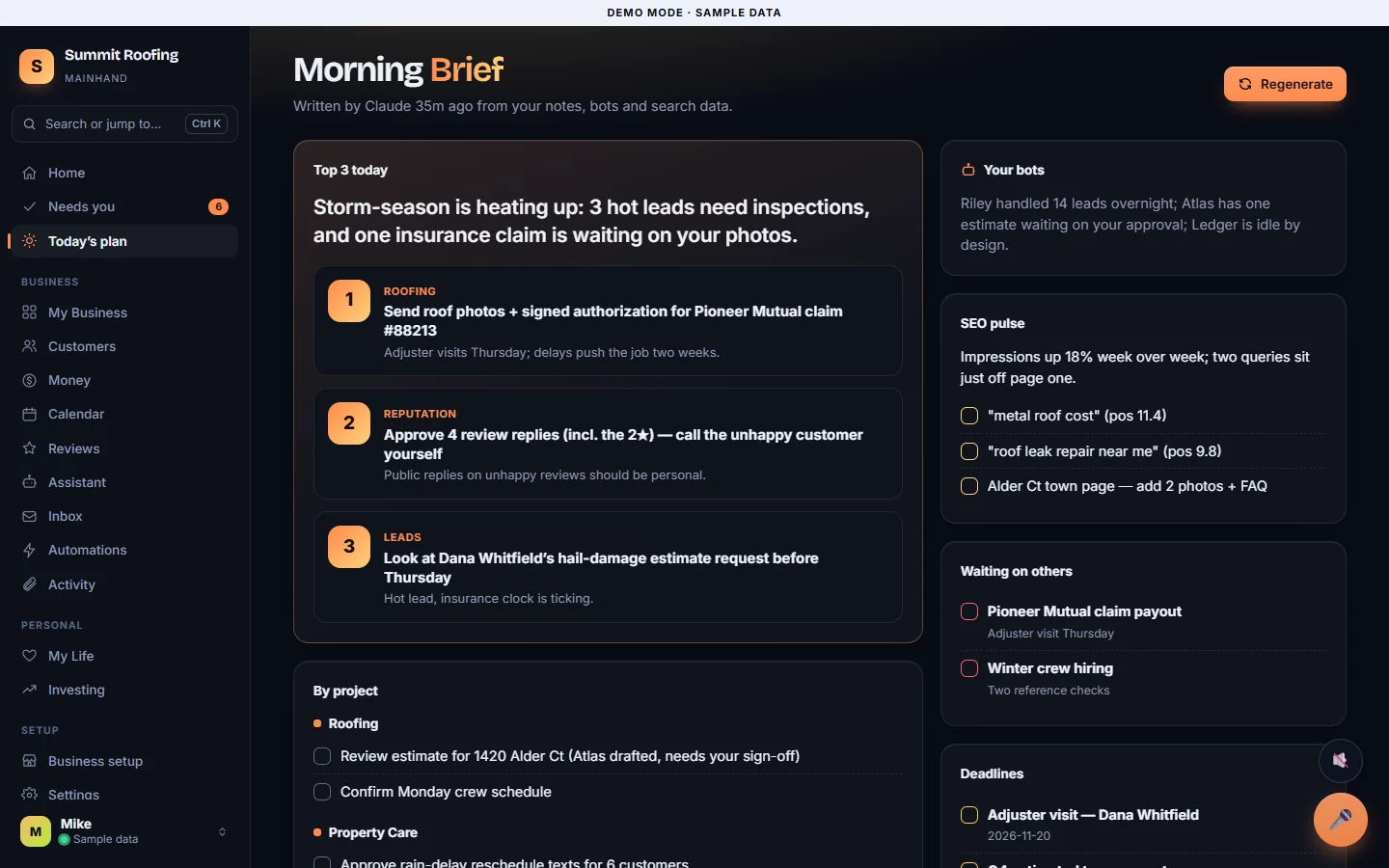
See it in under a minute
Up and running in an afternoon
- 1
Install it
Run the installer and set a password. It checks your computer and tells you what is missing.
- 2
Tell it about your business
Your name, what you do and the jobs you want help with. A few minutes.
- 3
Hire your first team member
Pick a job, give them a name and a voice, and they get to work.
- 4
Approve and carry on with your day
Check Needs you when it suits you. Approve, edit or skip. Loosen the reins as trust builds.
Questions
Does it send emails without asking me?
Not unless you turn that on. By default everything waits for your approval. Autopilot is opt-in, sends only simple replies after a ten-minute undo window, and holds anything about money, refunds, complaints, legal or medical topics.
Where does my data live?
On your own computer, behind a password you choose. We do not run a server that holds your business data.
What do I need to run it?
A Windows PC and an account with an AI provider. A built-in setup check finds what is missing and fixes it with one click. We can also set it up for you.
What does it cost?
Pricing is not final yet. Early-access customers get the best price and a say in what we build next. Tell us about your business and we will reach out.
Is there a Mac or phone version?
Not yet. Tell us if you need one.